 Michael Wan Interactive Insights
 This article distills the workflow patterns shared by Boris Cherny—creator of Claude Code— and the broader Claude Code team in early 2026. These aren't theoretical best practices. They're the actual setup the team uses every day.
The Mindset Shift
Claude Code is not a chatbot that happens to write code. It’s an agent: it reads files, runs commands, writes tests, and iterates on its own. The practices that make it powerful have little to do with prompt engineering for a chat model.
One idea sits underneath all of them. The loop is the product—everything else just configures the loop. Claude runs the same cycle on every task: plan the change, execute it, verify the result. Parallelism runs more loops at once. CLAUDE.md, skills, and hooks shape what happens inside each phase. Once you see the loop, every tip below has an obvious place to live.
Parallelism: The Biggest Unlock
If the loop is the product, the fastest way to get more done is to run more loops. That is the whole idea here.
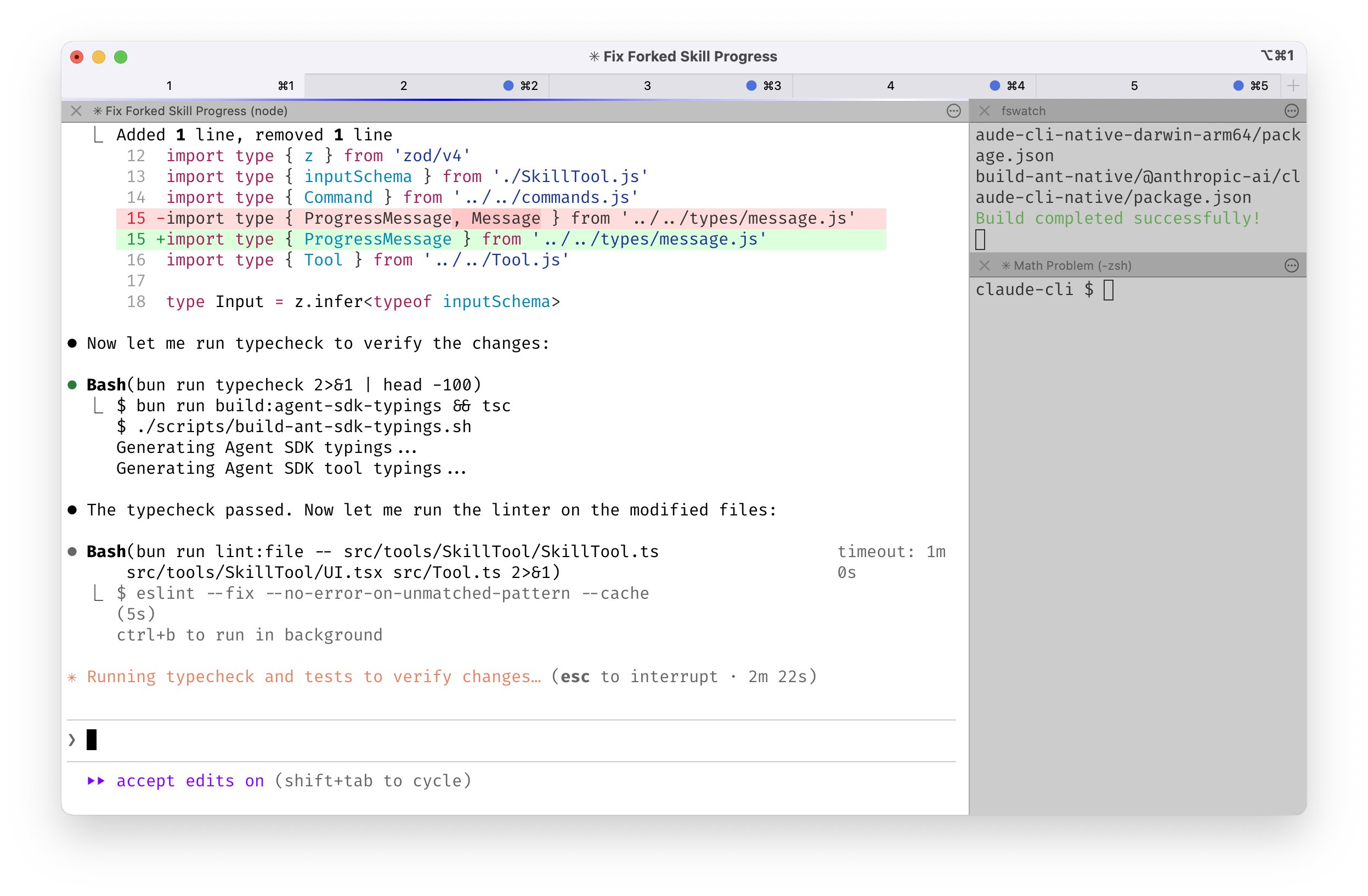
The top tip from the team, unanimously: run multiple Claude sessions at once. 3–5 is the baseline. Boris himself runs 5 locally and 5–10 on the web simultaneously.
Git worktrees
The preferred mechanism is git worktrees. Each worktree is an independent checkout of your repo with its own working directory, but sharing the same .git. Each one gets its own Claude session—no collisions, no stashing, no context switching.
# Set up parallel workstreams
git worktree add ../proj-auth   feature/auth
git worktree add ../proj-dash   feature/dashboard
git worktree add ../proj-fix    bugfix/login

# Each gets its own Claude session
cd ../proj-auth && claude
cd ../proj-dash && claude
cd ../proj-fix  && claude
Some engineers name their worktrees and set up shell aliases (za, zb, zc) to hop between them in one keystroke. Others keep a dedicated “analysis” worktree that’s read-only: logs, queries, no code changes.
Hybrid: terminal + web
Sessions aren’t locked to one environment. Boris hands off local sessions to the web using & to background them, or starts sessions from mobile in the morning and checks in later. The --teleport flag moves a session between local and web.
The Core Loop: Plan → Execute → Verify
Nearly every high-leverage pattern traces back to this three-phase loop. Plan and Verify are where you invest your energy. Execute is where Claude does the heavy lifting.
Plan mode
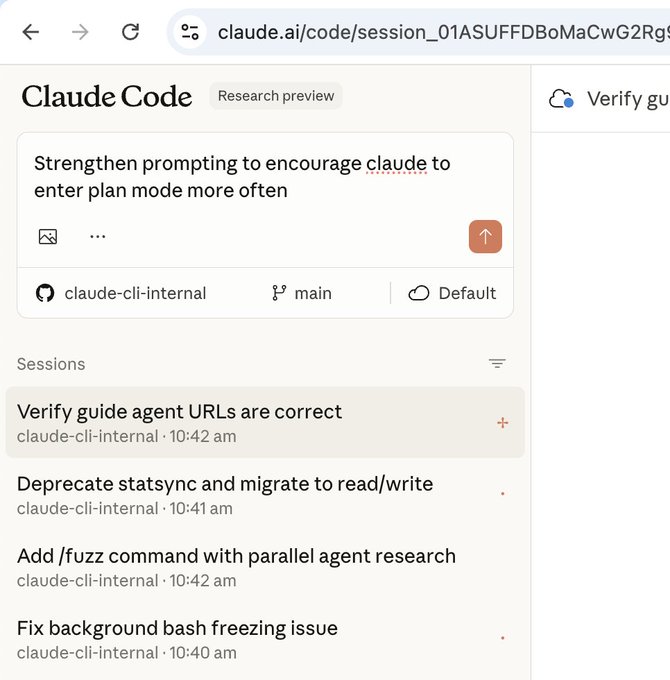
Enter plan mode with shift+Tab (twice from the default). Pour your energy into the plan before Claude touches a single file. A well-written plan is the difference between a 1-shot implementation and hours of back-and-forth.
Two patterns from the team:
- Two-Claude review: One Claude writes the plan. A second Claude reviews it—playing the role of a staff engineer. Only then does execution begin.
- Re-plan on friction: The moment something goes sideways, don’t keep pushing. Switch back to plan mode and re-plan. Explicitly tell Claude to enter plan mode for verification steps, not just the build.
What a plan-first session actually looks like:
/upload endpoint. Read middleware/ and the existing auth guard first. Propose where the limiter lives, the storage backend, and the failure response. Do not write code yet."
Verification: the #1 lever
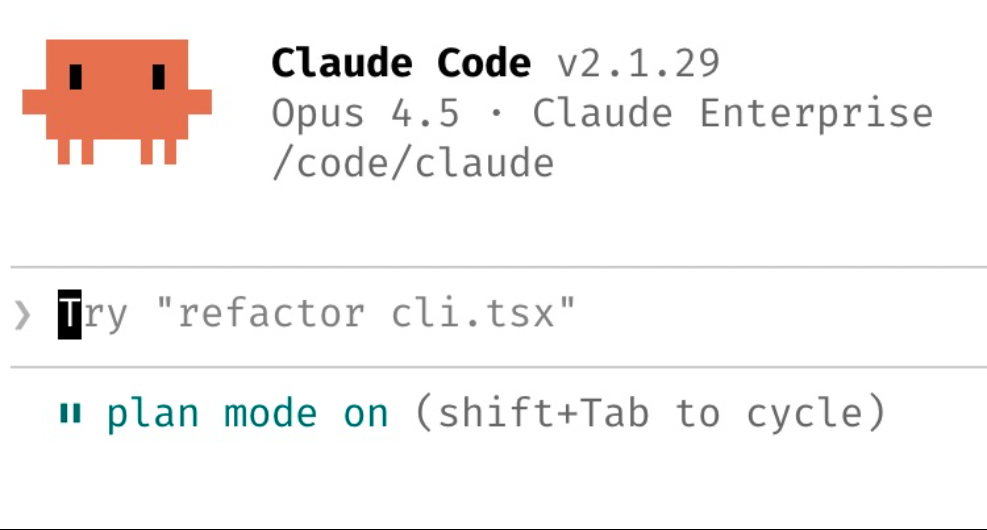
Verification looks different per domain. The speed column matters: run the cheap checks first so Claude fails fast and often.
| Domain | Speed | How to verify |
|---|---|---|
| Type safety | Seconds | bun run typecheck — run first |
| Style | Seconds | bun run lint or a PostToolUse hook (see below) |
| Unit / integration | Seconds–min | bun run test or target specific suites |
| Distributed systems | Minutes | Point Claude at docker logs |
| Frontend | Slowest | Claude Chrome extension: opens a real browser, tests the UI, iterates |
Boris’s team tests every change to claude.ai/code using the Claude Chrome extension. It opens a browser, tests the UI, and iterates until the code works and the UX feels right.
CLAUDE.md: The Memory That Persists
CLAUDE.md is checked into git. It’s the single file that teaches Claude the conventions, constraints, and quirks of your project. It’s loaded at the start of every session. It’s how you avoid repeating yourself across sessions.
The self-improvement loop
After every correction you make to Claude’s output, end with:
Claude is surprisingly good at writing rules for itself. The cycle is tight: Claude makes a mistake, you correct it, you ask Claude to update CLAUDE.md. Next session, the mistake doesn’t recur. Ruthlessly edit and trim over time—keep iterating until the mistake rate measurably drops.
~/.claude/CLAUDE.md holds your global preferences (~76 tokens). The repo-level CLAUDE.md is project-specific (~4k tokens). Both are loaded every session. The repo-level one is checked into git and shared with the team.
What goes in it
A real example—the Claude Code team’s own development workflow:
# Development Workflow

**Always use `bun`, not `npm`.**

# 1. Make changes

# 2. Typecheck (fast)
bun run typecheck

# 3. Run tests
bun run test -- -t "test name"     # Single suite
bun run test:file -- "glob"        # Specific files

# 4. Lint before committing
bun run lint:file -- "file1.ts"    # Specific files
bun run lint                       # All files

# 5. Before creating PR
bun run lint:claude && bun run test
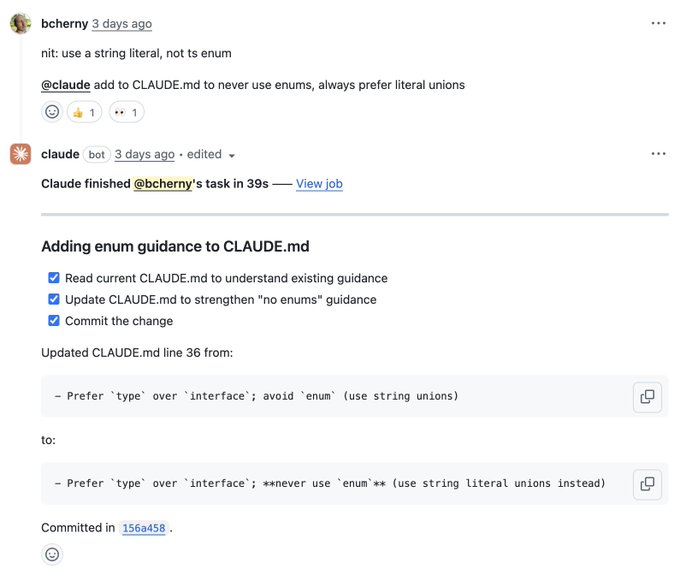
One engineer goes further: Claude maintains a notes/ directory for every task and project, updated after every PR. CLAUDE.md just points at it. The whole team contributes—anytime someone sees Claude do something wrong, they add a rule. Boris’s team even uses the Claude Code GitHub action to have Claude update CLAUDE.md as part of code review: tag @claude on a PR with instructions like “add to CLAUDE.md to never use enums.”
Skills & Slash Commands
How do you stop re-typing the same instructions every session? You freeze them into the loop. If you do something more than once a day, turn it into a skill or command. Skills and slash commands are versioned, checked into git, and shared across the team.
Slash commands
Slash commands live in .claude/commands/. They’re quick, scripted actions:
/commit-push-pr— commits, pushes, and opens a PR. Uses inline bash to pre-computegit statusso the command runs without back-and-forth. Used dozens of times daily./techdebt— runs at the end of every session to find and kill duplicated code.
Subagents
Subagents are longer-running autonomous agents with their own instruction files, living in .claude/agents/:
.claude/
├── commands/
│   ├── commit-push-pr.md
│   └── techdebt.md
└── agents/
    ├── build-validator.md
    ├── code-architect.md
    ├── code-simplifier.md
    ├── oncall-guide.md
    └── verify-app.md
code-simplifier runs after Claude finishes working and cleans up the code. verify-app has detailed instructions for end-to-end testing. Think of subagents as automating the most common per-PR workflows.
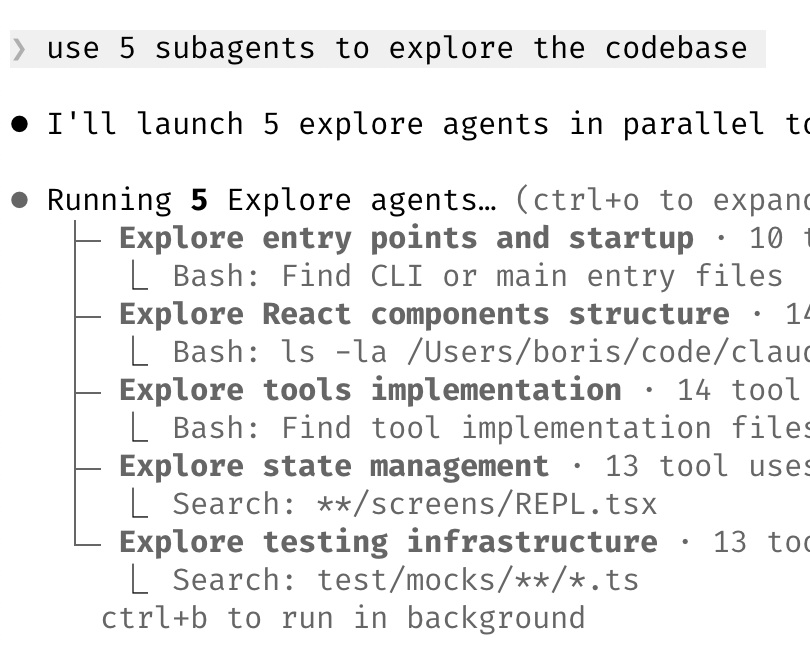
"use subagents" to any request to let Claude spawn them automatically.
Prompting Patterns
A few patterns that consistently produce better output from Claude Code:
Challenge, don’t just accept
Don’t accept the first fix and move on. Push back:
Make Claude be your reviewer. Or force a behavioral comparison:
Ask for the elegant solution
After a mediocre fix:
This resets Claude’s approach entirely. Instead of patching on top of a bad foundation, it redesigns with full context of what went wrong.
Specs over vibes
Write detailed specs and reduce ambiguity before handing work off. The more specific your input, the better the output. A well-written spec is worth more than 10 rounds of correction.
The Plumbing: Hooks, Permissions, MCP
The last layer removes friction from the execute phase so Claude runs without stopping to ask you the same questions. Hooks, permissions, and MCP are what let a session run for minutes untouched instead of pausing every few seconds.
PostToolUse hooks
Hooks fire automatically in response to tool events. The most common pattern: auto-format every file Claude writes.
{
  "PostToolUse": [
    {
      "matcher": "Write|Edit",
      "hooks": [
        {
          "type": "command",
          "command": "bun run format || true"
        }
      ]
    }
  ]
}
This catches the last 10% of formatting Claude misses, preventing CI failures later. The || true ensures a formatting hiccup doesn’t block Claude mid-task.
Permissions
Don’t use --dangerously-skip-permissions. Instead, pre-allow commands you know are safe via /permissions:
Bash(bq query:*)
Bash(bun run build:*)
Bash(bun run lint:file:*)
Bash(bun run test:*)
Bash(bun run typecheck:*)
These live in .claude/settings.json and are shared with the team. Claude won’t prompt for any allowed command pattern.
MCP servers
MCP (Model Context Protocol) gives Claude access to external tools. The configuration is checked into .mcp.json:
{
  "mcpServers": {
    "slack": {
      "type": "http",
      "url": "https://slack.mcp.anthropic.com/mcp"
    }
  }
}
With the Slack MCP enabled, the workflow collapses: paste a bug thread into Claude, say “fix.” Claude reads the thread, finds the relevant code, and fixes it. Zero context switching.
--dangerously-skip-permissions in production. For long-running sandboxed tasks where you want zero interrupts, --permission-mode=dontAsk is the safer alternative.
Bug Fixing: Get Out of the Way
A recurring theme across the tips: Claude fixes most bugs by itself, if you let it.
- Say “Go fix the failing CI tests.” Don’t prescribe how.
- Paste a Slack bug thread (with Slack MCP enabled) and say “fix.”
- Point Claude at docker logs for distributed systems—it’s surprisingly capable.
The key is not prescribing the solution. Give Claude the problem and the ability to verify. It will find the fix.
References
-
Boris Cherny. Tips for using Claude Code. Threads, Feb 2026.
-
Boris Cherny. Claude Code hacks. X, Jan 2026.
-
Claude Code: Common Workflows. Anthropic.
-
Claude Code: Skills. Anthropic.
-
Claude Code: Hooks Guide. Anthropic.